Home
Products
Company
Resources

CoCloud is a fully managed Tally on Cloud solution designed for CA firms, SMEs, finance teams, and multi-branch businesses in India.
It helps you run TallyPrime and Tally ERP 9 on a secure cloud server with better speed, security, and control.

With CoCloud, you can use TallyPrime on Cloud and Tally ERP 9 on Cloud from anywhere.

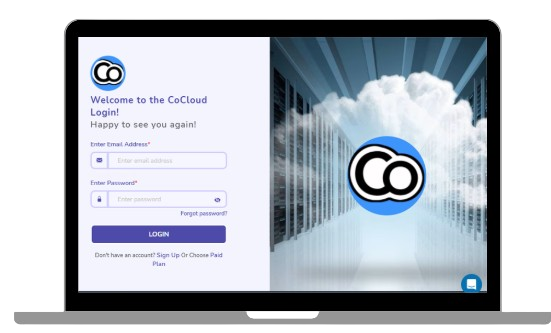
The CoCloud dashboard gives you complete control over your Tally on Cloud environment.

Your accounting data needs strong protection.

Data safety is critical when using Tally on Cloud. Google Drive.

CoCloud is optimized for multi-user Tally on Cloud environments.

If performance feels slow, you can quickly test your environment.

Manage your Tally on Cloud setup without downtime.

Control who can see and do what inside your Tally on Cloud environment.

Get round-the-clock access to our support team directly from your CoCloud portal.
See how simple it is to manage Tally on Cloud with CoCloud’s self-service dashboard.
Raise support tickets instantly
2FA + IP restrictions
Automatic Google Drive backups
Switch between Tally versions
Manage users & sessions
With the CoCloud Tally Portal, businesses get more than just hosting—they gain secure backups, simplified operations, and full control of their Tally environment.
| Feature | CoCloud | Other Providers |
|---|---|---|
| Hosting | Tier-4 | Mostly Tier-2/3 |
| Backup | Google Drive + retention | Limited |
| Admin Control | Full dashboard | Minimal |
| Scalability | Instant | Depends on support |
| Security | 2FA - IP/Time restrictions | Basic Login |
| Multi-User | Optimised | Slows with load |
| Printing | Local + remote | Unreliable |
| Permissions | Folder/IP/device control | Basic |
| Backup Ownership | Your Google Drive | Provider's storage |
| Migration | Same-day | Slower |
| Support | Dedicated RM | Ticket-based |
Frequently Asked Questions
Tally on Cloud by CoCloud includes features like remote access, multi-user support, automated backups, secure data storage, and high-performance cloud servers. These features help businesses run Tally smoothly without depending on a single system while ensuring flexibility and data safety.
Yes, CoCloud allows you to access Tally from Windows, Mac, laptops, tablets, and mobile devices. This ensures that you can manage your business operations from anywhere without being restricted to a specific system or location.
CoCloud enables multiple users to work on the same Tally data at the same time. You can assign role-based permissions to control access, allowing teams and accountants to collaborate efficiently without delays or conflicts.
Yes, CoCloud runs Tally on high-performance cloud servers, which helps reduce lag and improve speed compared to local systems. This ensures smooth performance even when multiple users are working simultaneously.
CoCloud provides automated backup systems that regularly store your data with proper retention settings. This ensures your business data remains secure and can be restored easily whenever required.
Yes, CoCloud ensures strong data security through encrypted access, secure login systems, and protected server environments. Additional features like access controls and security layers help protect your business data from unauthorized access.
Yes, CoCloud allows you to set role-based permissions for each user. Admin users can control access levels, monitor activity, and manage users, ensuring better security and control over business data.
Yes, CoCloud is designed to be scalable. You can easily add users, increase storage, and upgrade your plan as your business expands, without facing system limitations.
No, CoCloud is simple and easy to use. You can operate it just like your regular Tally software, and support is available to help you with setup and ongoing usage.
ally on Cloud by CoCloud is built to provide a reliable and efficient accounting experience. With features like secure access, smooth multi-user performance, automated backups, and dedicated support, it helps businesses manage operations without technical complications.
Get Started with Tally on Cloud Today
Run Tally securely from anywhere.
Improve speed. Improve collaboration. Reduce IT dependency.