
Home
Products
Company
Resources
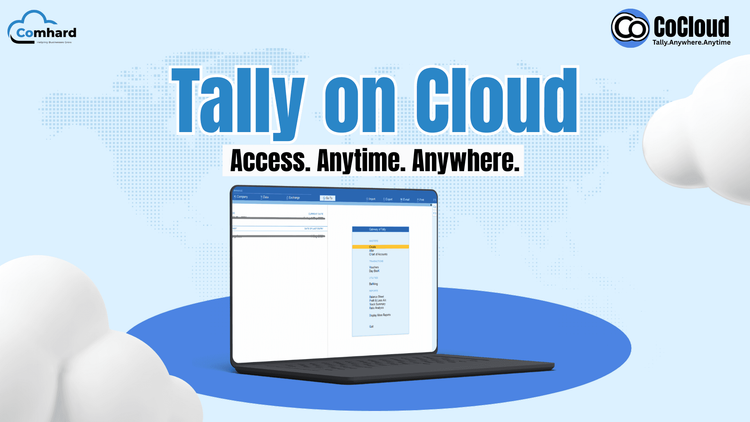
Many organisations that depend on Tally deal with familiar issues — slow computers, hardware breakdowns, difficulty sharing data, and the constant challenge of switching between office and remote setups. As businesses become more flexible, relying only on a single local system for accounting simply doesn’t work anymore.
This is why Tally on Cloud is becoming the preferred choice for SMEs, CAs, and accountants. It offers the same Tally interface and features, but removes the restrictions of using Tally on one desktop.
Tally on Cloud means your Tally software runs on a secured cloud server instead of your office PC, giving you the ability to access it from any location. This model is often referred to as cloud-based Tally or Tally cloud hosting.
The TallyPrime application remains exactly the same — the only difference is the place where it is hosted.
You continue using Tally as usual, but now with the flexibility of online Tally access.
Here’s a simplified breakdown of how a Tally cloud solution functions:
The cloud server takes over the role of your office computer.
Every team member gets a protected username and password.
Depending on the provider, this can be through remote desktop software or a browser window.
Your accounting data no longer depends on one device.
Teams enjoy real-time, reliable Tally remote access from different locations.
This setup ensures steady performance, speed, and secure Tally hosting without hardware headaches.
| Feature | Traditional Local Setup | Cloud-Based Tally |
|---|---|---|
| Installation | Installed separately on each PC | Installed once on a cloud server |
| Access | Only within office premises | Accessible from any device/location |
| Data Safety | Risky if PC crashes | Automated, secure backups |
| Hardware Cost | High maintenance | Minimal hardware required |
| Multi-Branch Use | Slow and difficult | Real-time, centralized access |
| Scalability | Hard to upgrade | Easy to add users/storage |
| Security | Basic computer-level safety | Advanced cloud-grade protection |
Moving to a Tally cloud solution removes all the physical limitations while keeping Tally’s familiar look and feel.
Small and medium businesses need reliable, fast, and flexible tools to manage operations. Running Tally on the cloud helps SMEs avoid downtime, manual backups, and system-related issues.
Teams in different locations can use the same cloud-based Tally without delays.
Business owners can check accounts anytime, from anywhere.
Processing is handled by the cloud server, not your local machine.
Billing, entry posting, and reporting run more smoothly.
No heavy investment in servers or maintenance.
With cloud hosting, Tally for SMEs becomes more convenient, scalable, and reliable.
For CA firms that manage multiple clients, traditional setups often create delays. Tally on Cloud in India solves this by keeping all data organized in one location and supporting seamless teamwork.
No need to chase clients for backups.
Cloud-based Tally supports real-time collaboration without version issues.
Your records stay current at all times and are accessible instantly whenever required.
Ideal for CA firms working remotely or travelling.
You save time, reduce errors, and maintain a higher level of accuracy.
Freelance accountants and small teams benefit greatly from Tally cloud hosting:
This makes accounting work quicker, safer, and more organised.
Here are the major advantages explained simply:
Your Tally becomes location-independent.
Cloud servers protect your data even if your device stops working.
You don’t need to remember to take backups manually.
Teams can work together without confusion or data conflict.
No requirement for servers or expensive hardware.
Even low-spec PCs can run online Tally smoothly.
Cloud servers offer more stability than local installations.
Companies typically choose from:
Affordable and ideal for small teams.
Offers better performance, privacy, and control.
Suitable for larger organisations with strict security requirements.
Before selecting a provider, evaluate:
These factors help ensure reliable and safe Tally cloud hosting.
A well-hosted cloud server usually delivers faster performance than local PCs.
It actually lowers long-term IT expenses by removing hardware costs.
Encryption and permission controls make it more secure than most office systems.
You use Tally the same way as before — the back-end infrastructure changes, not your workflow.
A dependable Tally cloud solution includes:
This makes the environment safer than storing data on office machines.
Pricing depends on:
Extremely cheap plans may cut corners on performance or safety, so choose wisely.
Ensure the provider offers:
This guarantees a smooth cloud experience.
Tally on Cloud is quickly becoming the smarter choice for businesses looking for secure, fast, and flexible access to their accounting data. It removes IT complications, supports remote work, and enhances team productivity.
Whether you’re an SME, a CA firm, or an independent accountant, cloud-based Tally offers the freedom and reliability that traditional installations cannot match.
Discover how simple and secure Tally becomes with CoCloud by Comhard Technologies. Start your 7-day free trial and experience effortless online Tally access today.
Ready To Grow your Business?